
A customer calls their usual contact. The desk phone rings in an empty office, the voicemail still names someone who has left, and the next call forwards to a personal mobile.
A business phone system handover should give every customer call a current owner while removing access that a former employee no longer needs. Review direct numbers, queues, forwarding rules, voicemail, devices and connected applications together, then test the resulting customer journey.
Start with the calls the person receives
Before changing an account, list how customers reach that employee. Include their direct number, extension, queue memberships, menu options, website contact links and any forwarding destinations.
For each route, name the team that will answer and the fallback when that team is unavailable. A direct number might move to an account-management queue. A menu option might need a new destination and greeting. Give each temporary arrangement a review date so it does not become an overlooked permanent route.
This also applies when someone changes roles internally. Their account may remain active while customer calls, queue membership and management permissions need to move elsewhere.
Review access alongside the handover
Give the phone-system administrator an agreed change time and a list of the access to review. Include desktop and mobile apps, desk phones, voicemail, administration permissions and any access to recordings or reports.
Confirm the supported way to revoke sessions and device access on the installed platform. If sign-in or user provisioning is connected to another system, include that dependency in the change plan. Check that an automated sync will preserve the intended result.
For example, 3CX documents separate user settings for forwarding, schedules, phones and voicemail, and supports user synchronisation with Microsoft 365. Those details illustrate why the administrator should check the actual configuration before making changes. 3CX user configuration documentation
Update the routes around the account
Check the routes that point to the employee as well as the employee’s own settings. A queue, menu option or colleague’s transfer shortcut may still target the old extension after the direct number has moved.
Review any external mobile forwarding. Confirm the destination belongs to the intended business contact, test what happens when it is busy or unanswered, and check whether forwarding creates additional call charges.
Listen to the greetings customers hear. Update references to the former employee and make the next step clear. Assign someone to handle outstanding voicemail and customer requests under your organisation’s access and retention rules.
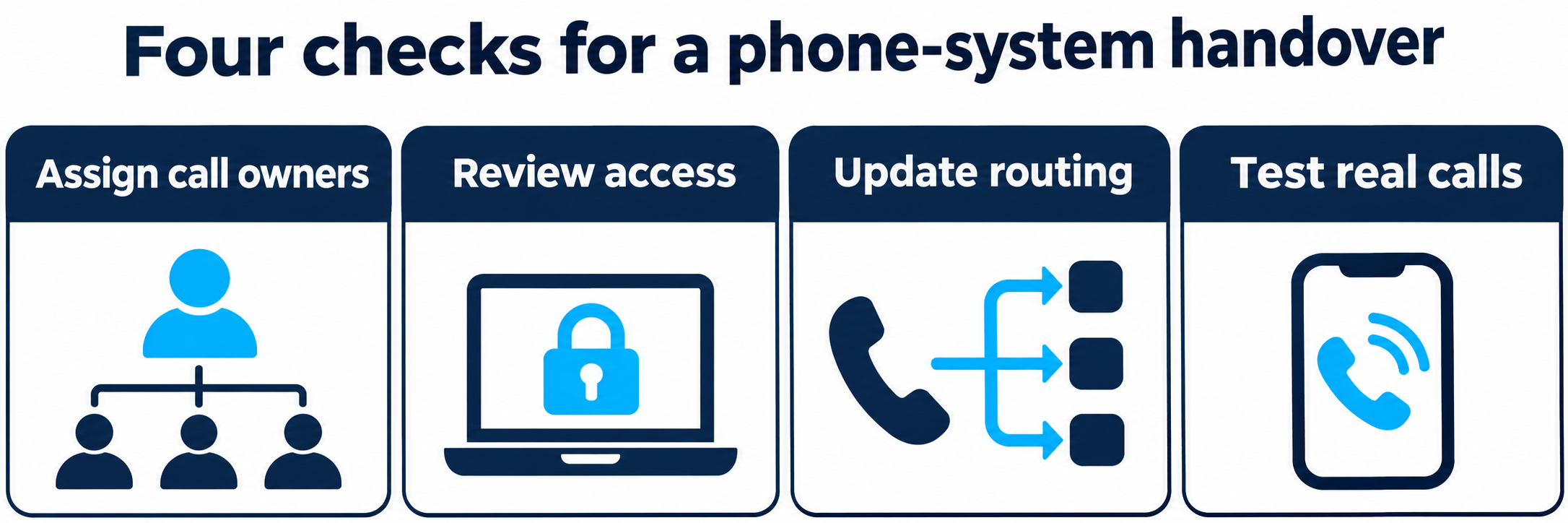
| Handover area | Evidence to check |
|---|---|
| Call ownership | Each public number and menu option reaches a named current team |
| Access | The administrator has checked accounts, sessions, devices and permissions |
| Voicemail and messages | Greetings are current and outstanding requests have an owner |
| Routing | Queues, forwarding and transfer shortcuts reach the intended destination |
| Connected applications | CRM tasks, notifications and integration ownership have been checked |
Include CRM workflows and AI agents
If calls create CRM tasks or send notifications, test who receives them after the staff change. A call can reach the right colleague while its follow-up task remains assigned to the former employee.
Check the business owner and technical owner of each integration. Where a connection uses an individual’s account, agree the supported replacement with the application administrator and verify that the connection continues to work.
AI voice agents also need current instructions. Review named contacts, transfer destinations, department hours and fallback messages. Test what the agent says when a caller asks for the employee who has moved or left. AI agent prices are on request, depending on complexity.
Test from a customer’s phone
Make external test calls to the direct number and main menu. Try the normal route, an unanswered call, a busy destination and the after-hours route. Check two-way audio after a transfer and leave a fictional voicemail to confirm that the intended team receives it.
Use fictional customer details to test connected workflows. Confirm that the CRM record, task or notification goes to the expected owner. Ask the administrator to verify the access changes separately from the call tests.
Record the results, the person who checked them and any remaining action. Review recent call activity after the handover to identify routes that the initial inventory missed.
Bring the handover into your communications plan
KCM Telecom’s PBX feature comparison provides a starting point for discussing call handling and package-specific capabilities. Bring a list of numbers, teams, applications and handover scenarios so the scope can be agreed for your setup. KCM Telecom PBX features
A trial can include a planned role-change scenario. Ask the team which routing and integration checks can be included, who will perform the administration, and how the result will be verified. KCM Telecom trial
Planning your next customer communications project? Contact KCM Telecom to discuss your requirements. You can test our Voice Agents by calling (+357) 25 056432 or test our services 30 days free of charge inclusive max. 100 EUR call credit!