

A phone system can have enough extensions for everyone and still run out of room when customers call. Equally, buying capacity for every employee to speak at once can add cost without solving the actual bottleneck.
Business phone system capacity should reflect the busiest workflows you need to support: how many calls are active, how quickly calls begin, and which services handle them. Start with measured demand, then confirm the limits across the complete call path.
Four numbers that deserve separate questions
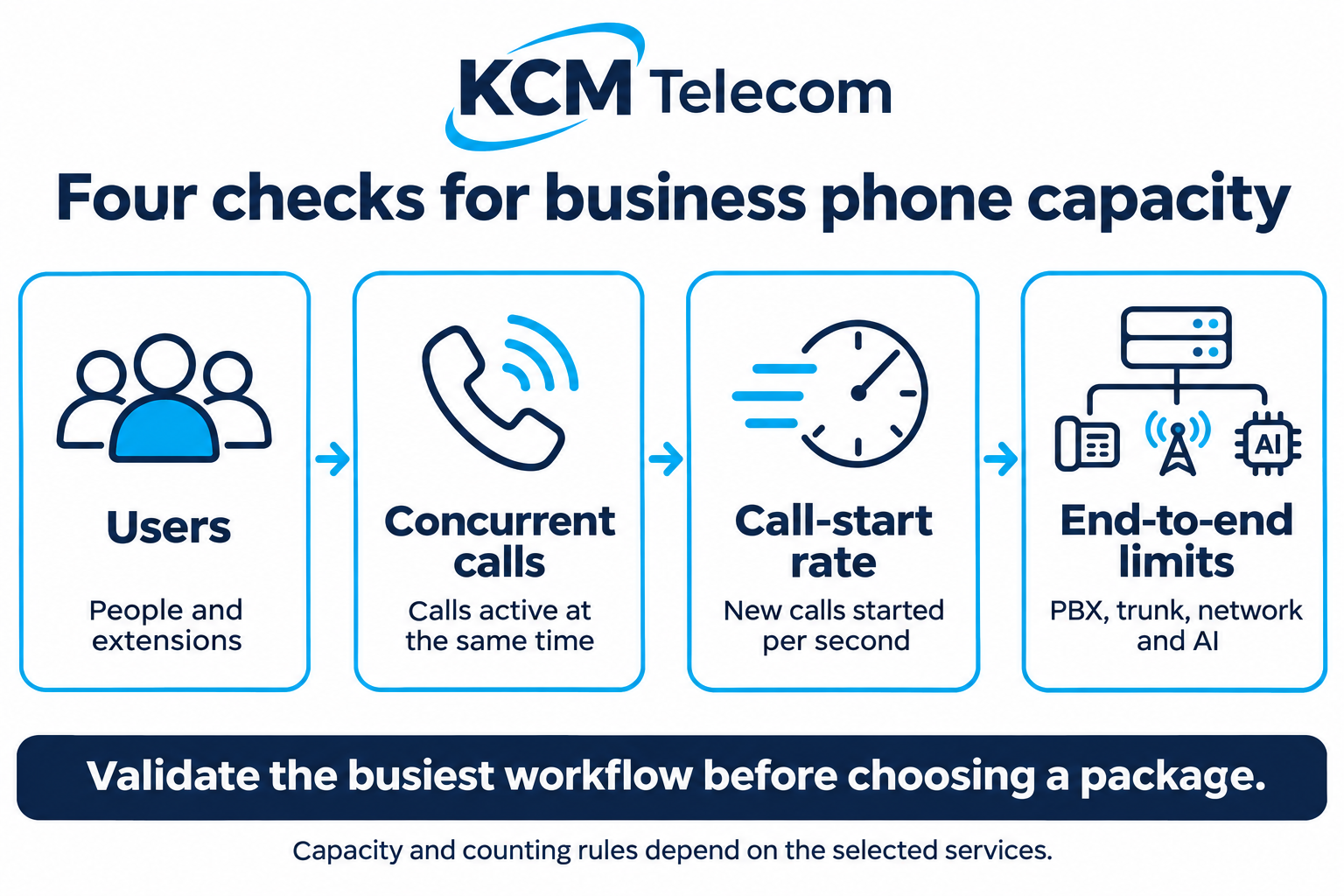
Users are the people or extensions configured on your system. Concurrent calls are calls active at the same time. Call-start rate describes how quickly new calls begin, commonly measured in calls per second. End-to-end limits include the PBX, SIP service, internet connection and any AI or integrated service involved.
These are related, but one does not establish the others. As a vendor example, 3CX licensing guidance distinguishes simultaneous calls from extension limits and counts internal as well as external active calls. Its rules should not be assumed to apply to every platform. Twilio’s SIP documentation separately describes call-start and concurrent-call limits. Ask how your selected services count each workflow.
Measure the busy period, not just the monthly total
Monthly minutes help explain usage costs. They do not show how many calls arrive together. Review representative busy periods, campaign days and seasonal peaks. Look for overlapping inbound and outbound calls, people waiting in queues, transfers and conference activity.
For example, a team of 30 people might have only eight active conversations during one observed peak. That is a starting observation, not a recommendation to buy eight channels: callers waiting, transfer behaviour, internal calls and growth may change the requirement. Record where the measurements come from and which calls they include.
If reliable history is unavailable, describe a realistic busiest-day scenario and validate it in a controlled pilot. Choose headroom based on the cost of rejected calls and likely growth rather than an arbitrary percentage.
Check the whole call path
A larger PBX allowance cannot remove a lower limit elsewhere. Confirm that the SIP connection, PBX and any connected voice service can support the same target workflow. Check network quality while other business applications are in use, and include remote staff on their normal connections.
AI adds another service to assess. Ask about concurrent AI conversations, transfers to people, integration availability and any usage limits. AI agent prices are on request, depending on complexity. Setup and usage charges should be specified in your individual proposal.
Capacity also needs a destination: more calls will not help if the intended team cannot answer them. Check routing and staffing alongside technical limits.
Test the workflow you actually plan to use
Agree the scope and timing of a controlled test with your provider. Include simultaneous inbound and outbound conversations, a caller waiting in a queue, a transfer, and an AI-to-person handover if that is part of the design. Use test data for CRM lookups and verify that the integration returns the expected result.
Also test a short burst of new calls. A service can support several ongoing conversations while limiting how quickly new outbound calls start. Record successful connections, rejected attempts, audio quality and the behaviour callers hear when a limit is reached.
Before signing off, name the person who owns capacity monitoring and the trigger for reviewing it—for example, an additional office, a campaign or repeated capacity-related rejections.
| Check | Evidence to request |
|---|---|
| Users | Supported users and extensions for the selected package |
| Concurrent calls | Capacity and counting rules across the complete call path |
| Call-start rate | Inbound and outbound limits, where applicable |
| Growth and cost | Upgrade process, recurring fees and usage charges |
Turn the findings into a clear KCM Telecom proposal
KCM Telecom’s PBX and call-center feature comparison provides a starting point for discussing users, applications and package-specific capabilities. Its SIP trunk service describes scalable connectivity and access to call activity and costs. Use these together with your measured demand to define the service you need.
Ask for a proposal that identifies the supported user count, simultaneous-call capacity and relevant call-start limits; the features and integrations included; and the process for increasing capacity. Separate the recurring PBX package from number rental, activation, call usage, AI services and other chargeable work. Confirm VAT treatment and billing periods so the budget is clear.
The practical goal is a system sized for your business: room for the calls that matter, visibility into costs and a defined route to grow. KCM’s free trial lets you evaluate the service before committing. Agree the capacity checks included in your trial with the team.
Planning your next customer communications project? Contact KCM Telecom to discuss your requirements. You can test our Voice Agents by calling (+357) 25 056432 or test our services 30 days free of charge inclusive max. 100 EUR call credit!