

A customer calls while your team is busy. Another leaves an enquiry after closing time. Both calls appear in a report, but neither has a clear owner. The next morning, everyone can see the missed calls and nobody knows who is returning them.
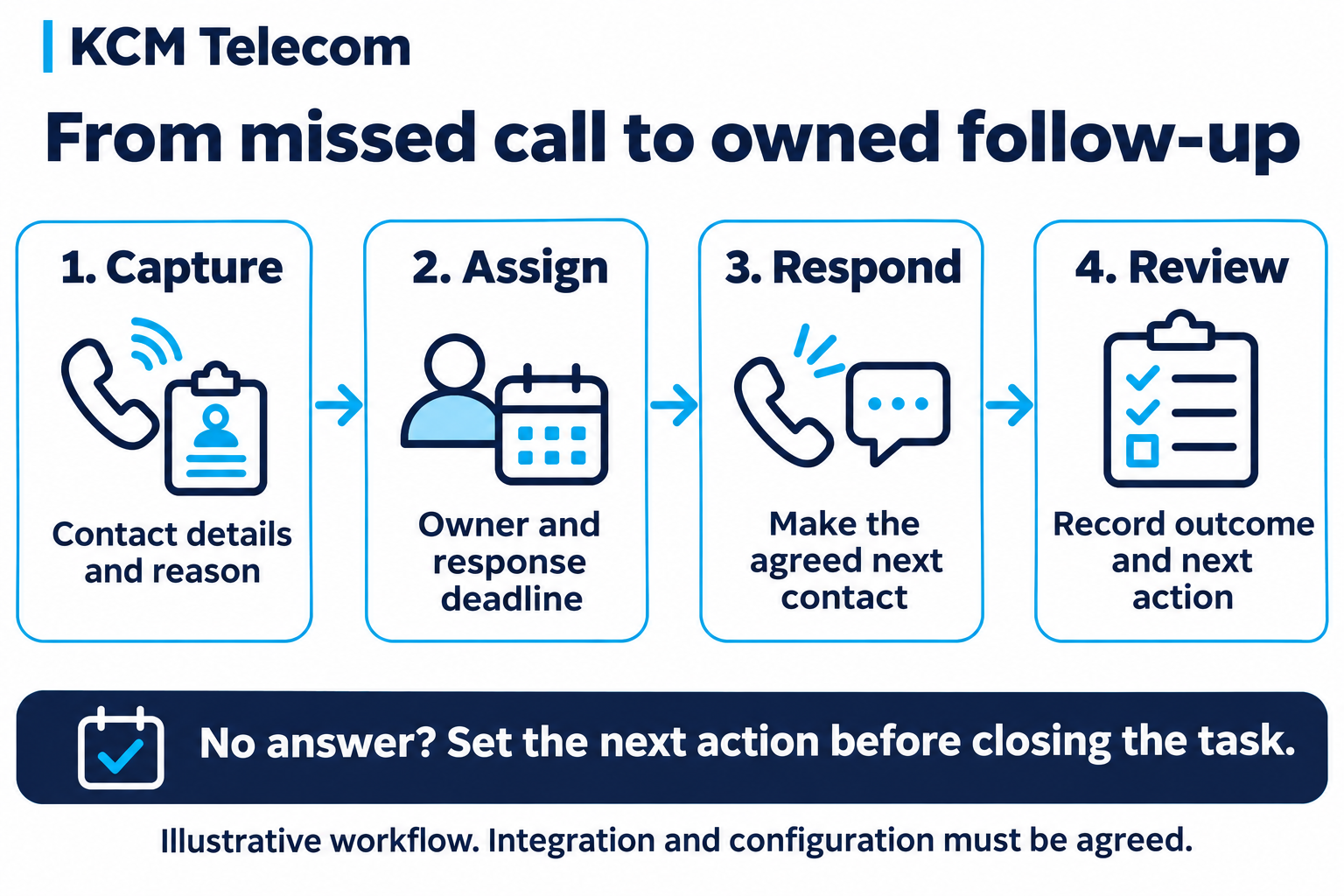
A useful missed call follow-up process connects four things: the enquiry, the person responsible, the response deadline and the next action. Your phone system provides part of that picture; your operating process makes it useful.
Start with the outcome you want
Define what should happen when a call is not answered. During opening hours, that might mean another team, a queue callback or a message-taking route. After hours, it could mean capturing the enquiry for the next working period.
Tell callers what to expect using wording your team can deliver. A promise to return a call at a particular time needs someone responsible for meeting it. If no such service is staffed, use an honest message and an appropriate alternative.
Distinguish a queue callback from a follow-up task
A queue callback lets a waiting caller leave the queue and receive a return call when an agent becomes available. In the 3CX queue documentation, an unanswered return call is treated as a failed callback for notification purposes.
That illustrates an important design question: what happens after the attempt fails? A callback feature and a task for the next working day serve different purposes. Agree how each fits your workflow rather than assuming either one completes the enquiry.
Capture enough information to act
Give the person returning the call a useful starting point: a confirmed contact number where possible, the reason for the enquiry, the time received and any agreed contact preference. Collect the information needed for the next step.
If a caller leaves no message or withholds their number, record that limitation. Avoid treating an incomplete record as a contactable sales lead. If the same person calls repeatedly about the same issue, define how staff identify the existing enquiry.
Assign one owner and a realistic deadline
A shared list is useful only when responsibility is clear. Assign the enquiry to a person or a monitored team queue, with a backup owner for absence and overdue work.
| Situation | Proposed next action | Completion evidence |
|---|---|---|
| Missed call during opening hours | Assigned colleague reviews and returns the call. | Contact outcome and next step recorded. |
| After-hours enquiry | Responsible team reviews it at the agreed next working period. | Owner and response deadline visible. |
| Callback not answered | Record the attempt and set the next action. | New attempt or another agreed route scheduled. |
| Repeated enquiry | Review the existing record before assigning more work. | Related activity linked or duplicates reconciled. |
This is an illustrative operating plan, not a description of an automatic configuration included in every PBX package.
Connect the phone record with your business applications
If your team works in a CRM or help desk, specify the record that should be created or updated. Decide which events trigger a task, how the correct customer is matched and how staff see failures in the integration.
Ask whether the integration supports the exact workflow you need. Contact lookup, call logging and automatic task creation are different functions. Test each required function, including what happens when an application is unavailable.
Use AI to support a defined handover
An AI voice agent could be configured to collect an enquiry and explain the next step, subject to an agreed design. A summary can give a colleague context, but the receiving team still needs an owner, a deadline and access to the record.
Test names, telephone numbers, corrections and requests to speak with a person. If the agent cannot complete the handover, give the caller an approved alternative and make the failure visible to the team.
Measure completed follow-up
Review missed-call volume alongside the work it creates. Useful measures include time to first attempt, overdue tasks, successful contact and unresolved enquiries. Define whether response time counts only staffed hours, and distinguish an attempted call from successful contact.
The 3CX reporting guide separates abandoned queue calls, requested callbacks and failed callbacks. Use the reports available in your selected system alongside task outcomes; a telephone report alone may not explain whether the customer received help.
Build and test the workflow with KCM Telecom
KCM lists queues, callback, call logging and reporting in its PBX feature comparison. Managed options also list CRM integration, AI agents and call summaries. Availability depends on the package and configuration.
Bring KCM your opening hours, team responsibilities and business applications. Agree the routing, follow-up records and integration requirements, then test the process from the caller’s first ring to the recorded outcome.
AI agent prices are available on request, depending on complexity. Setup, usage and any integration charges should be specified in your individual proposal.
Use the KCM free trial to validate the agreed workflow before rollout. A strong communications setup helps your team see who needs a response, who owns it and what should happen next.
Planning your next customer communications project? Contact KCM Telecom to discuss your requirements. You can test our Voice Agents by calling (+357) 25 056432 or test our services 30 days free of charge inclusive max. 100 EUR call credit!