
The phone bill has increased. Before changing your package, find out what changed in the calls themselves. A new destination, more mobile calls or a different mix of short conversations can all change the result.
Business call cost control starts with matching usage to the tariff and checking the resulting charges. A repeatable review helps you make a specific decision: adjust a route, review a calling pattern, discuss volume pricing or correct a reporting mismatch.
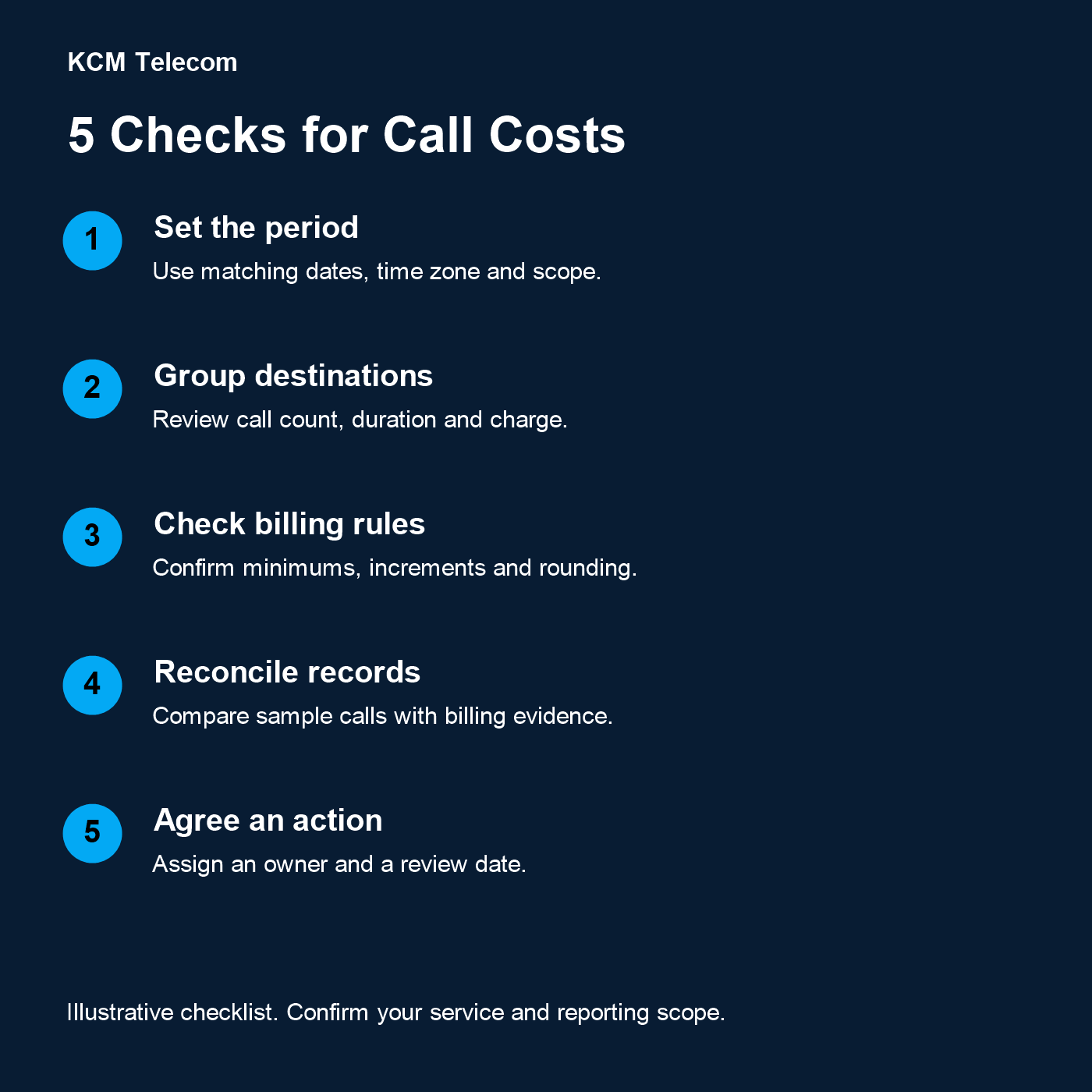
1. Choose one period and one scope
Start with a complete billing period. Use the same dates and time zone for the provider records, PBX report and invoice. Decide whether you are reviewing outbound calling charges only or the full communications service.
Keep the PBX subscription, telephone-number rental, setup work and other services separate from variable calling charges. If you use AI, confirm which costs relate to telephony and which relate to the AI service. AI Agent prices are on request, depending on complexity. Setup and usage charges are specified in your individual proposal.
2. Find the destinations behind the total
Where your reporting allows it, group calls by destination and number type, then examine call count, duration and charge. A country total can hide a change between fixed, mobile or specialist-number traffic.
Review the largest cost categories first. Compare them with a similar earlier period and ask what changed in the business: a new customer market, a campaign or a team calling a different set of contacts. An increase may be justified by useful activity.
KCM Telecom describes customer-portal visibility of usage and costs on its SIP trunk service page. Ask which breakdowns, export options and update times are available for your chosen service.
3. Check how billable time is calculated
A quoted per-minute rate is only part of the calculation. Confirm the destination, minimum billable duration, subsequent increments and rounding rules. Ask whether any additional charges apply.
Illustrative arithmetic only—not a KCM tariff or a comparison with another provider: assume a rate of EUR0.06 per minute, no connection charge, no minimum duration under per-second charging, and a full-minute alternative that rounds each connected call up to the next minute. Taxes and other charges are excluded.
| Connected duration | Per-second calculation | Full-minute rounding |
|---|---|---|
| 25 seconds | EUR0.025 | EUR0.06 |
| 61 seconds | EUR0.061 | EUR0.12 |
For 100 calls lasting 25 seconds each, those assumptions produce EUR2.50 versus EUR6.00 before any further rounding. The lesson is to compare your actual call pattern using the billing rules in each proposal. This example does not establish savings available from KCM.
4. Reconcile a few calls before trusting the dashboard
Choose representative calls and compare the destination, start time, connected duration and charge across the available records. Include any forwarded or transferred call with an external leg, so you can understand how that leg is recorded and billed.
3CX’s CDR billing documentation explains that its billing data depends on correctly configured Call Cost settings. Its reporting guide also describes cost reporting by extension and department. These are vendor-specific capabilities; confirm your deployment’s edition, configuration and permissions.
A PBX cost report is a useful operational view. Reconcile it against the provider’s billing evidence and agreed terms before treating it as the amount due. For a prepaid service, also confirm what the displayed balance includes and when it updates.
5. Turn the review into one clear action
Assign an owner and record the finding, action and next review date. An unexpected destination or out-of-hours pattern deserves investigation; it is not by itself proof of misuse. Ask about appropriate restrictions or alerts where required, and confirm availability before relying on them.
For a commercial review, give KCM a representative destination and duration breakdown. Request a quotation that separates calling tariffs, billing increments, number charges, PBX services, integration work and applicable VAT. Discuss any volume discounts against your actual traffic rather than an assumed saving.
KCM lists call reporting in its PBX feature comparison. Use a trial to test the reporting workflow as well as call quality, with the available scope agreed in advance.
Sources and further reading
- KCM Telecom: SIP trunks, usage and cost visibility
- KCM Telecom: PBX reporting features
- 3CX: CDR billing configuration
- 3CX: report types and permissions
Planning your next customer communications project? Contact KCM Telecom to discuss your requirements. You can test our Voice Agents by calling (+357) 25 056432 or test our services 30 days free of charge inclusive max. 100 EUR call credit!